Book Categories:

One more story for the road?
Not sure where to begin? Compare xianxia, xuanhuan, and wuxia in our short reader’s guide. WholeSaga is preparing carefully edited, complete Chinese fantasy stories in English.
Book Categories:



If you are wondering why chapter numbers restart in web novel EPUBs, look at the volume labels before assuming that chapters are missing. A long serial may be divided into several volumes, and each volume may begin again at Chapter 1. The last number displayed in the final volume is then a local number, not the total number of chapter entries in the ebook.
That distinction matters when you compare an edition description with its table of contents. The edition can contain hundreds of entries even when the final visible label is much smaller. The safest method is to count the entries inside each volume and keep the volume name attached to every chapter reference.
A volume restart gives readers a clear boundary between major parts of a story. It can also preserve the numbering used by the source edition. Neither choice tells you how many entries the complete ebook contains.
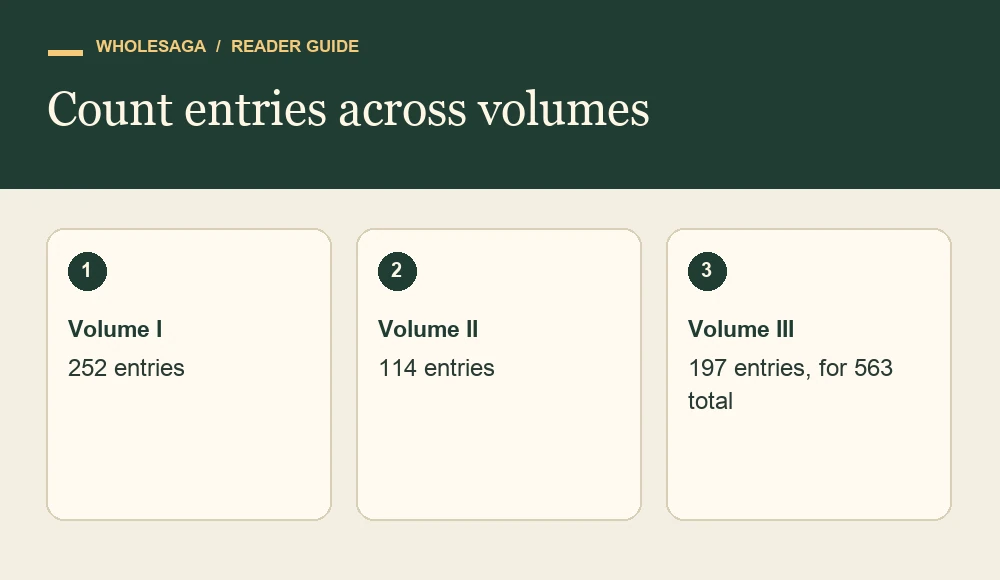
WholeSaga’s edition of The First Sect Master in History provides a concrete example. Its contents contain 252 entries in Volume 1, 114 in Volume 2, and 197 in Volume 3. That is 563 chapter entries in total. The final displayed label is Chapter 197 because Volume 3 has its own sequence.
This example of web novel EPUB volume numbering resets the chapter count at each volume boundary. Record “Volume 3, Chapter 197,” rather than “Chapter 197.” The longer reference preserves the information you need when another volume has a chapter with the same number.
Count the chapter entries in each volume and add the counts.
| Volume | First displayed chapter | Last displayed chapter | Entries counted |
|---|---|---|---|
| Volume 1 | 1 | 252 | 252 |
| Volume 2 | 1 | 114 | 114 |
| Volume 3 | 1 | 197 | 197 |
| Edition total | — | — | 563 |
Count the actual table-of-contents entries. Do not calculate from the final chapter label alone. If the sequence skips a number, repeats a number, includes a prologue, or inserts a side story, the entry count and the visible label can differ.
The EPUB standard supports an ordered reading sequence and a navigation document. Reading systems are expected to expose the links in the table of contents and move to the selected destination. This is why the contents panel is a better source than a visual guess based on the final page. Read the W3C EPUB Reading Systems specification.
Begin with the outermost items in the table of contents.
Suppose you stop at “Volume 2, Chapter 38 — the council receives a sealed report.” That reference is much easier to recover than “Chapter 38,” which may appear three times. It also avoids spoilers because the scene cue can describe the opening situation rather than the chapter’s outcome.
Chapter count cannot answer every completion question. A complete main story may sit beside optional side stories, or a product may describe a particular English edition rather than every text associated with a series. Use the completed xianxia novel checklist to separate the original ending, English-edition coverage, and delivered files.
A final chapter number tells you the label within that volume. The full count comes from adding the entries across all volumes. Check the volume structure, count the navigation entries, and keep a full location reference. That gives you an accurate total and a reliable way back into a very long book.